Chat Moderation with Photon Chat
Introduction
If your application uses integrated chat, you may need to add moderation to meet local privacy and compliance requirements. While Photon does not provide a built-in moderation service, it supports secure server-to-server integrations with trusted providers:
A server-to-server integration offers the advantage to prevent client-side manipulation of moderation features.
To enable external moderation, configure the service credentials in the Photon Dashboard. Photon Cloud will automatically forward the chat message to the selected provider’s API endpoint.
Keep in mind:
- You need a paid account with the moderation provider.
- All messages are sent securely via HTTPS directly to the provider. Photon does not log or store any chat data.
How to setup Chat Moderation for your Photon Chat app
Note: A paid Photon Cloud plan greater 100 CCU is required to activate chat moderation forwarding
Step 1: Create an account and subscribe to the chat moderation service of your choice. Make sure you’ll have all required information at hand (see config details below).
Step 2: Create a ticket and ask to unlock the chat moderation feature.
Step 3: Go to your Public Cloud or Premium Cloud apps and click on “Manage” in your application box.
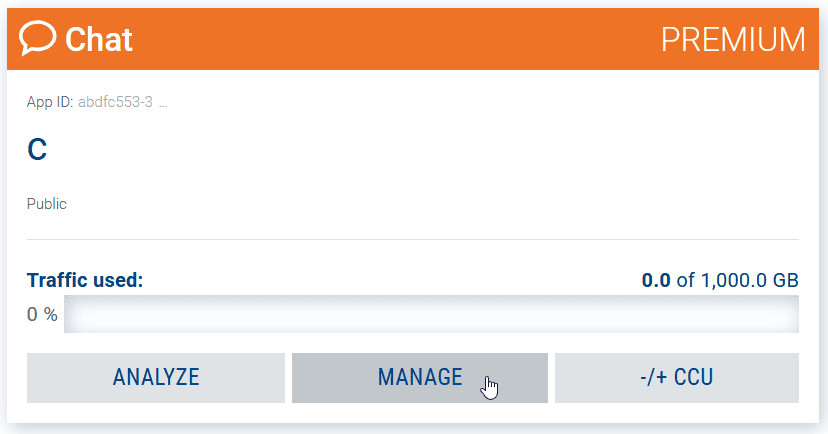
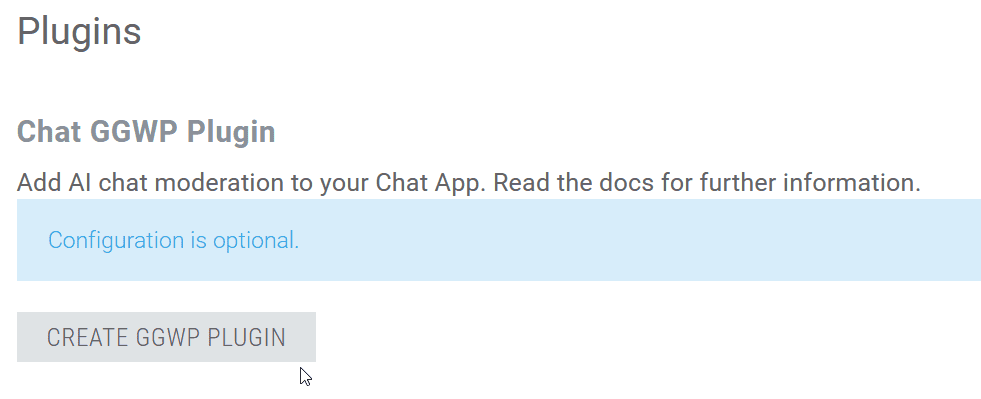
Step 4: In the Plugins section, activate the GGWP config by clicking on the “Create [...] Plugin” button and enter all required information.
GGWP
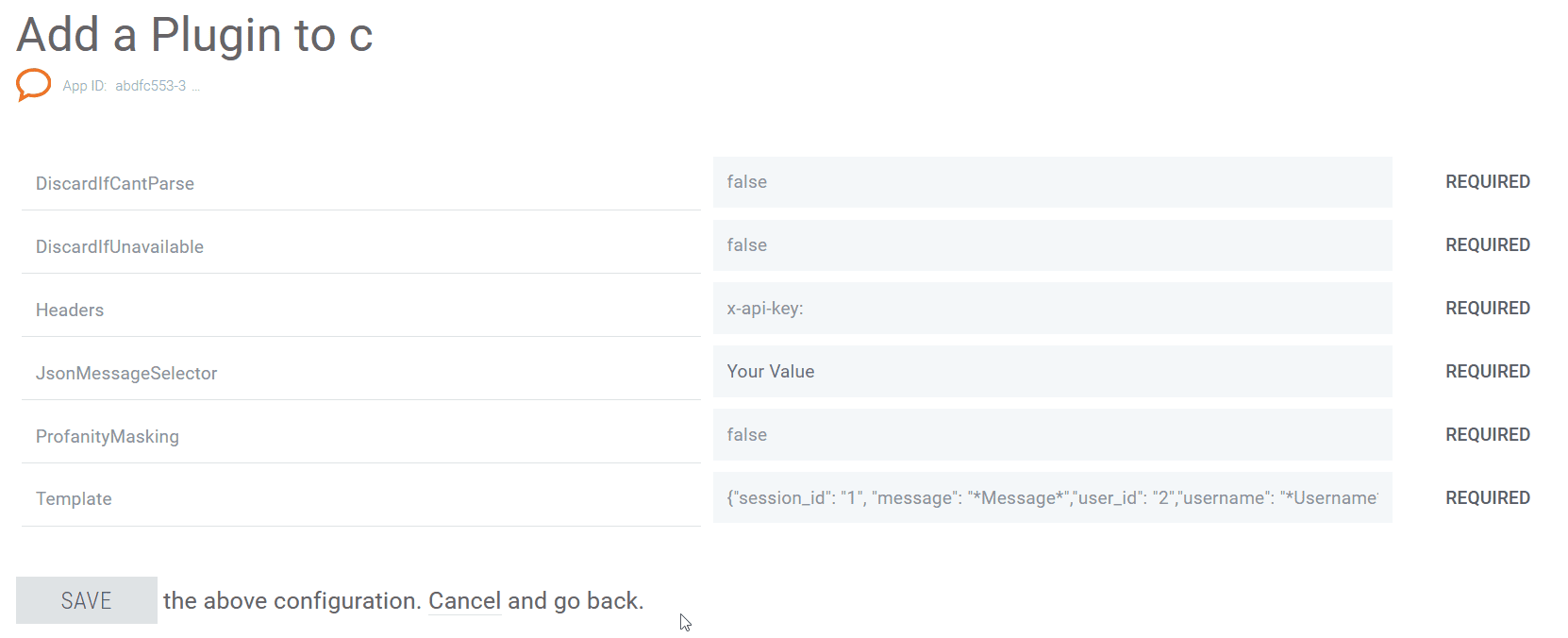
DiscardIfCantParse default: false Drop message if response can not be parsed (bad JSON selector or unexpected response body).
DiscardIfUnavailable default: false Drop message if filtering service can not be reached.
JsonMessageSelector
JsonPath selector with path to message (if message is JSON and we need to pass only part of it). Use empty string to forward the whole message.
E.g. XPath like
chat_message/message_details/message_content
JsonResponseSelector JsonPath selector with path to response result or masked message if response is JSON.
ProfanityMasking default: false Drop message if false && message is flagged as offensive. If true - overwrite message with masked (****) version from reply
Template
JSON body for POST or right URL part with template to pass into filtering service. Can use following variables, which will be replaced with proper values: Message,
Username, ChannelName, Timestamp
E.g.
{"session_id": "1", "message": "*Message*","user_id": "2","username": "*Username*","timestamp": "*Timestamp*"}
Headers
key:value list of headers which will be passed into GET/POST request. Use semicolon to separate multiple headers.
GGWP Authorization Header
key: x-api-key
value: your-GGWP-API-key-value
E.g.
x-api-key:verysecretkey123